
GrabOne Deal Approvals
There are 2 parts to approving your deal, both of which must be completed before your deal can launch:
Deal Schedule Form/Contract
Deal Preview (including Coupons)
Deal Schedule Form/Contract
Once your deal has been set up, you will need to review and approve your Deal Schedule Form/Contract.
This is the contract between yourself and GrabOne that contains the commercials of the offer going to market. Deal Schedules are a legally binding document, so it’s important that you check them carefully before approving.
You will receive an email to advise this is ready to view, and can be accessed on your account in the GrabOne Merchant Portal.
To view your Deal Schedule Form/Contract:
Go to the 'Deals' tab and view Pending deals
Or view your 'Notifications' to see where action is required
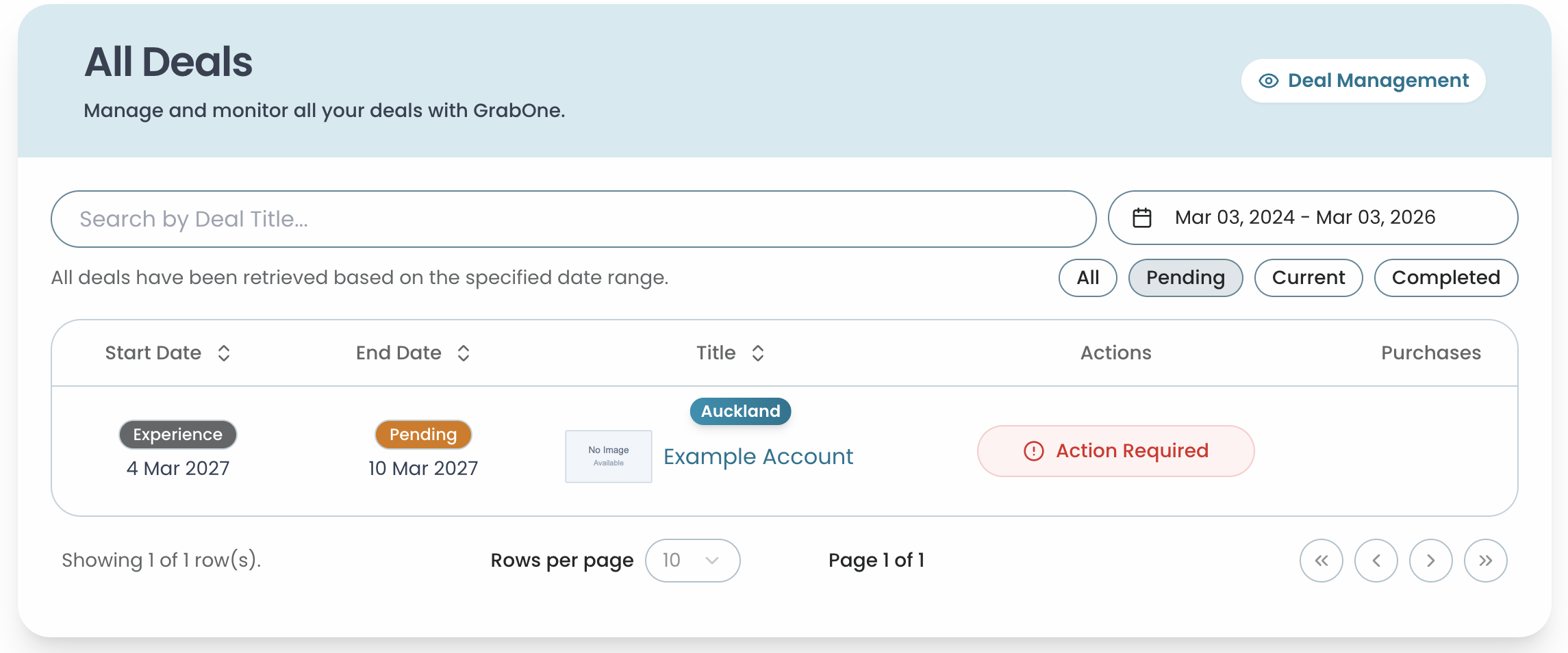
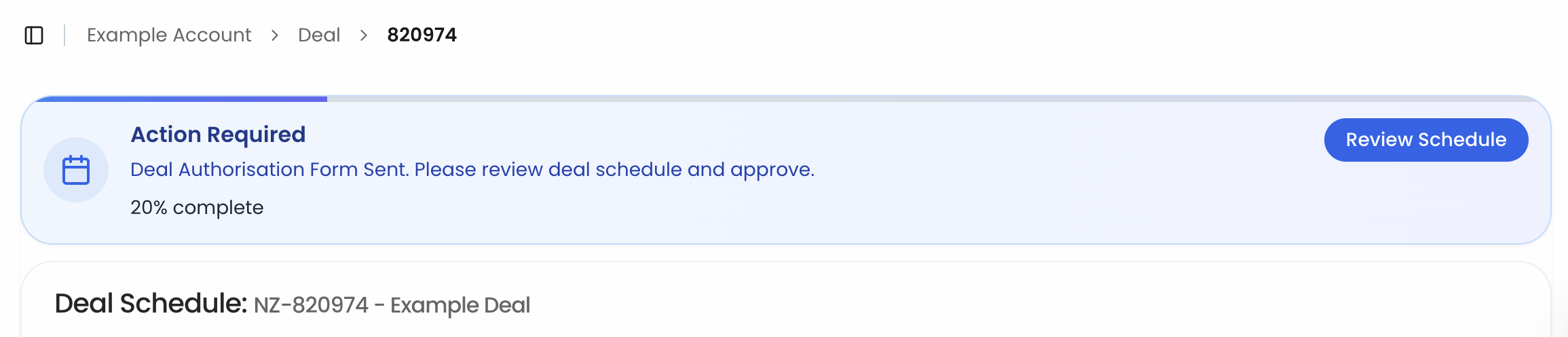
Review your Deal Schedule Form:
You'll see the price point, max sales, scheduled dates, validity period, and commission
You won't see the copy, or the imagery during this stage - that will be created later and sent to you as a separate Deal Preview (if applicable)
Please check over all the details thoroughly
If the details are correct:
All you need to do is tick the boxes at the bottom (including agreeing to the GrabOne Merchant T’s&C’s), enter your name and position, and click Approve Deal
If you need to make any changes:
Submit your comments
Our team will make any updates and resend to you for approval, or will be in touch. Once updated, you will need to login again and approve
Deal Preview
Once our team has created a final draft of your deal, complete with copy and images, you will need to review and approve your Deal Preview and Coupons.
You will receive an email to advise this is ready to view, and can be accessed on your account in the GrabOne Merchant Portal.
To view your Deal Preview:
Go to the 'Deals' tab and view Pending deals
Or view your 'Notifications' to see where action is required

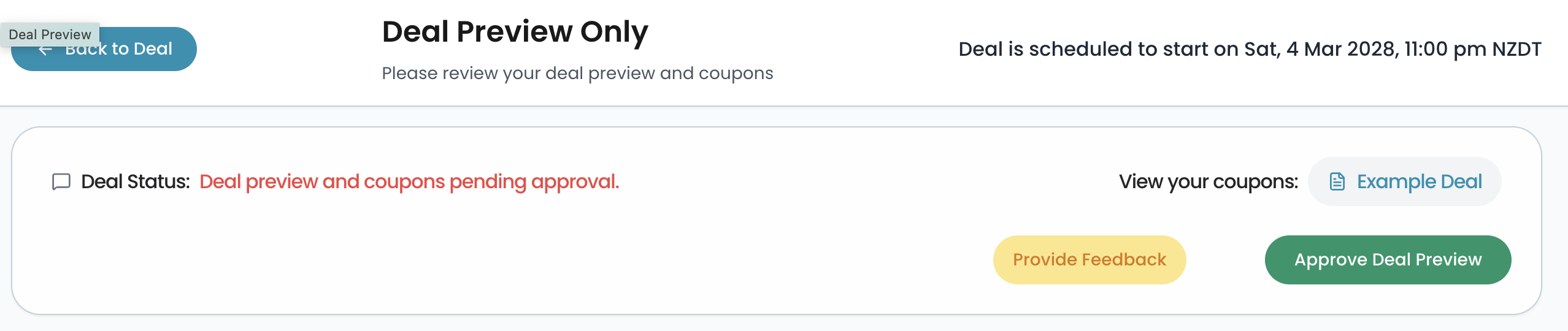
Review your Deal Preview:
You'll be able to see the deal in its final form
It's crucial that you check the conditions, copy, and images thoroughly to ensure the details are accurate
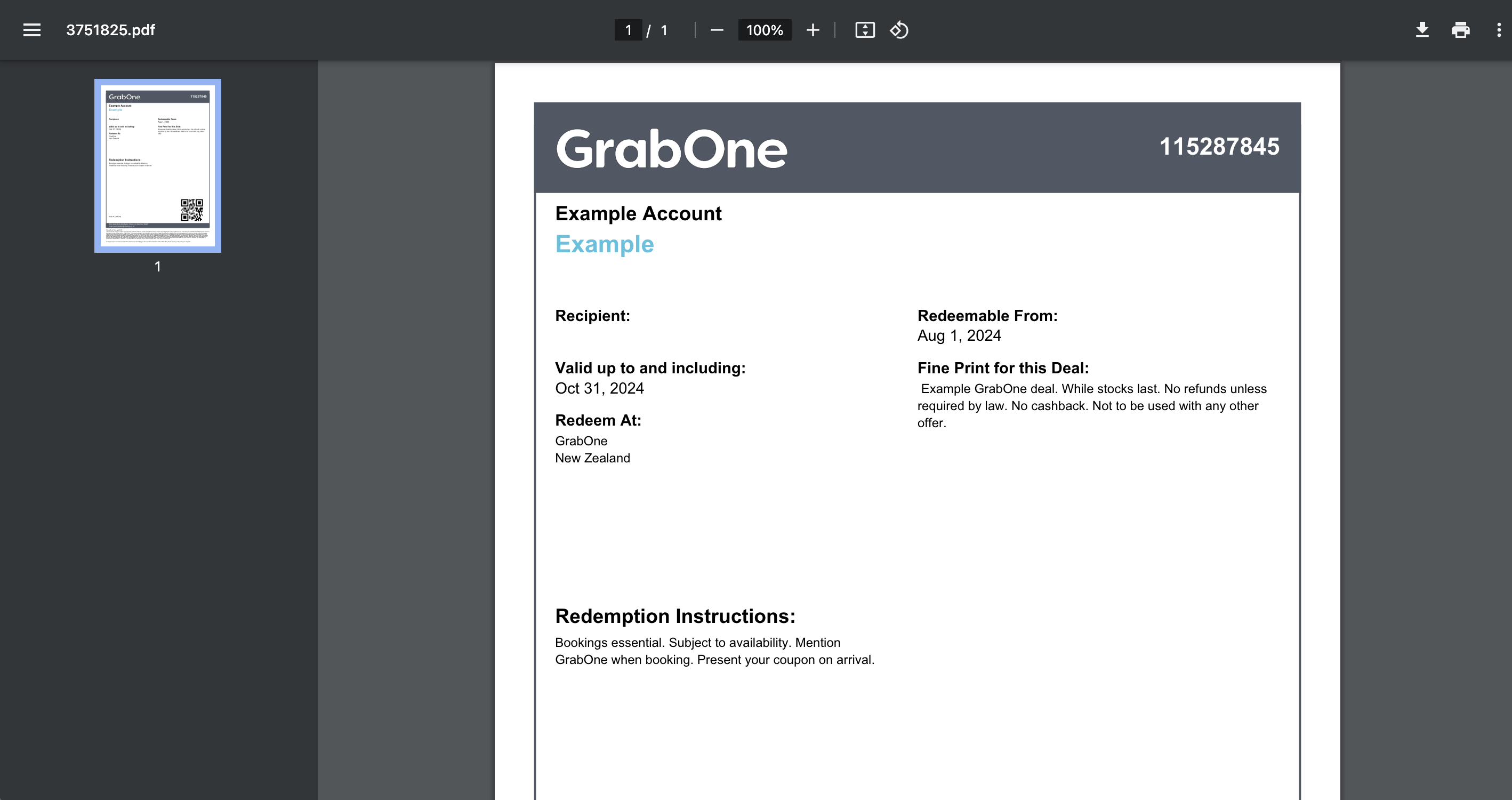
Review your Deal Coupon(s):
If your deal is a coupon deal, as part of the Preview you can view the sample coupons for each deal option
Check the information on the coupons is correct

If everything is correct:
All you need to do is approve the Preview page
If you need to make any changes:
Submit your comments
Our team will make any updates and resend to you for approval, or will be in touch. Once updated, you will need to login again and approve
*For re-runs of previous deals, deal previews may not be required in some instances.